When Your AI Assistant Starts Acting Weird: The Context Window Problem (Token Limits)
When Your AI Assistant Starts Acting Weird: The Context Window Problem (Token Limits)
If you have ever had an AI assistant that was sharp one minute and confusing the next, you are not imagining it.
Most of the time it is not “AI being random.” It is a very specific technical constraint that shows up as a very human experience: it forgets what you already told it.
This article explains the context window problem in plain English, how to spot it early, and what to do next.
The simplest explanation
Every AI assistant has a working memory for the current conversation.
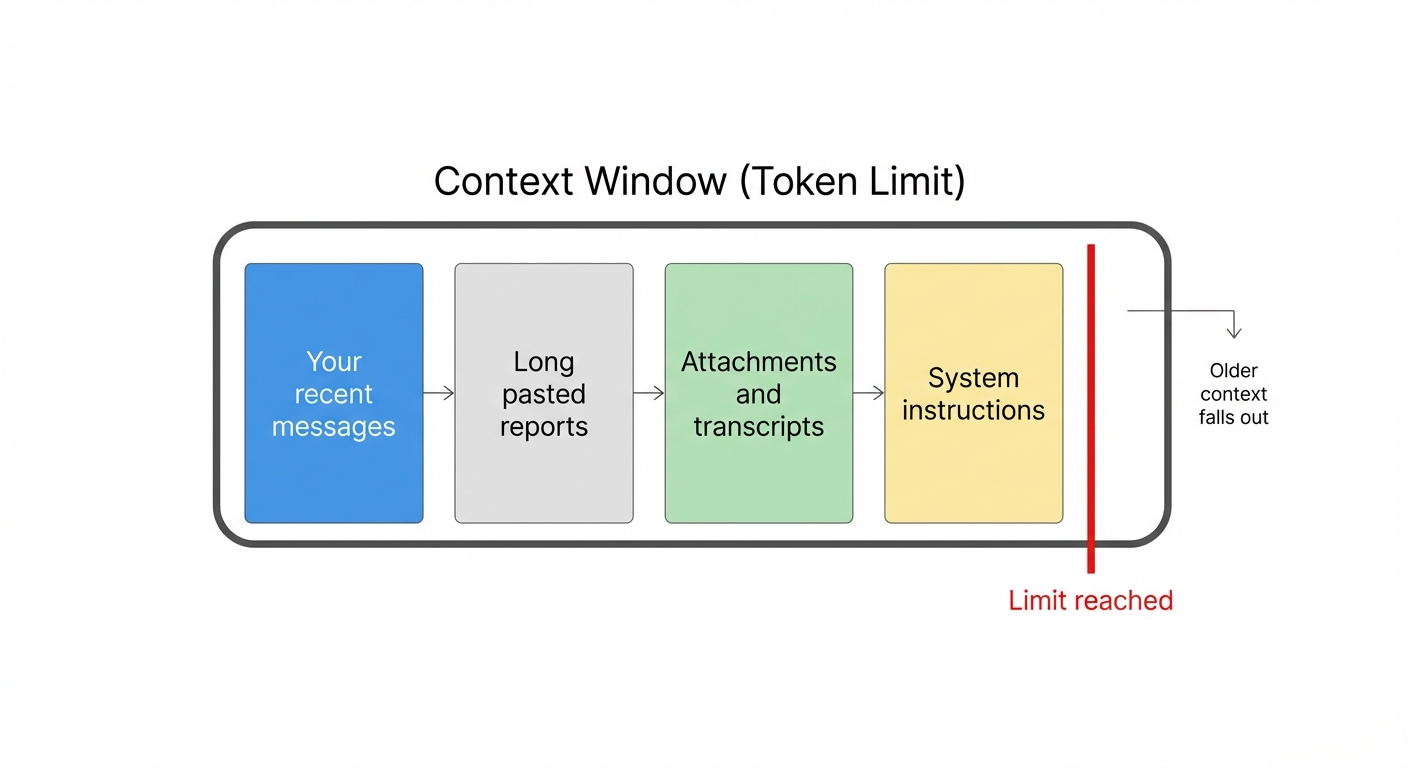
Technically, that working memory is called the context window. It is measured in tokens, not words. A token is roughly a piece of a word. As a mental shortcut, you can think of tokens as “conversation capacity.”
When the conversation grows past the model’s token limit, the AI has to drop something. Usually it drops older parts of the thread.
That is why it can sound like the assistant “forgot” a decision you made earlier.
A visual: what fills the context window
Four common things fill up the context window faster than people expect:
None of these are “bad.” They are just large.
What it looks like when you are hitting the limit
Here are the warning signs I see most often with non-technical users and executive teams.
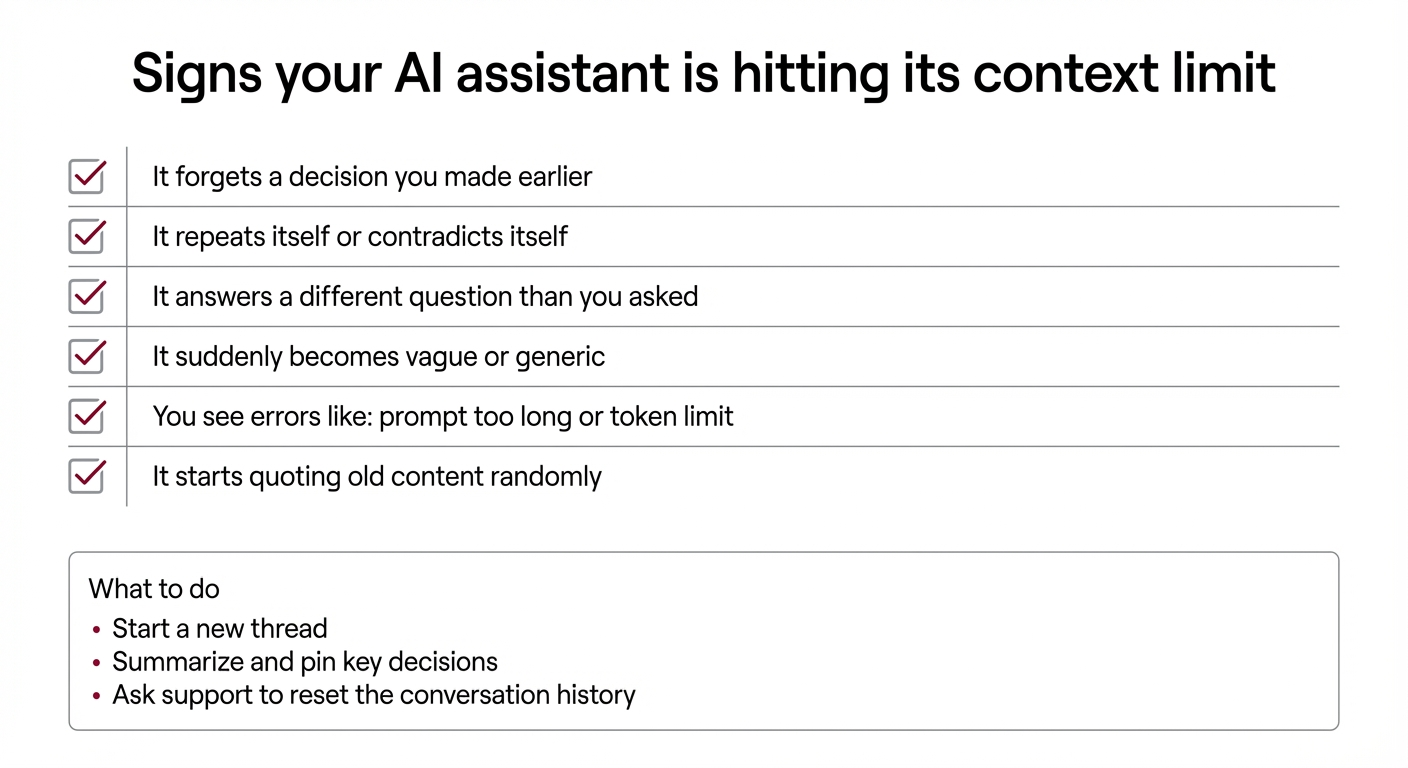
Common symptoms
If you are in an executive workflow, the risk is simple: the assistant can confidently proceed with the wrong assumption.
Why this is happening more in 2026
AI is being used less like a search box and more like an operating layer.
People are asking assistants to:
Those are all “long context” behaviors. So we are seeing context window failures more often, especially in active teams.
What a non-technical user should do when it happens
You do not need to learn tokens.
You need a simple playbook.
Step 1: Start a new thread
If the assistant is clearly confused, do not keep pushing in the same conversation. Start a new chat and paste only what is necessary.
Step 2: Carry forward a short summary
In the new thread, paste a short summary like this:
This resets the working memory without dragging in weeks of noise.
Step 3: Reduce long dumps
If you have daily reports or recurring briefs, keep them short in the chat thread. Put full-length content in a file and link it. The assistant can still use it, but it will not overwhelm the conversation.
The executive question: “Is this a bug or a limitation?”
It is a limitation.
Even the best models have a maximum conversation size. Some have larger windows than others, but none are infinite.
This is not a reason to avoid AI. It is a reason to run it with guardrails.
How IronClaw handles this for you
IronClaw is a managed service for OpenClaw, which is a self hosted AI assistant. Part of what you are paying for is not just “getting it installed.” You are paying for operational sanity.
When context window issues show up, we handle the practical fixes, including:
The goal is simple: you get a reliable assistant, not a fragile toy.
If you want a quick self check
Ask your assistant:
1) “Reply with just OK.” 2) “Summarize this in five bullets.” 3) “Now do the real task.”
If step 1 works but steps 2 and 3 go sideways, you are probably dealing with context size, not user error.
Final thought
Most AI failures in real executive workflows are not about model intelligence. They are about operations.
Context windows are one of those operational realities. Once you know what to look for, you can avoid the frustration and keep the assistant working the way it should.
If you want help setting this up the right way, that is exactly what IronClaw is for.